tidoly
Sign inSign up
CatalogDownloadAnnouncementsPricingDocs

A self-hosted PaaS
that runs without an ops team

Your own server, or a cloud VM you already rent — it installs on machines you own. Installs, wiring, certificates, backups and updates are the platform's job.

Can’t hire for it? Watching releases slip?

Kubernetes, Jenkins and Argo CD are all free

Running them properly still takes an engineer. What is free is the software, not the operating.

AWS, GCP and Azure are not free

And you still have to learn the cloud itself. Run it seriously and you end up on Kubernetes anyway — free or paid, you stop at the same place.

A hand-built server becomes a black box

What is on it, and with which settings, is not written down — it lives in one person's head. When they leave, nobody can open it.

One machine request costs days

Development waits while it happens. And the next app starts the same wait over.

You should not have to learn the tools

People following tools around as they change is the wrong shape.
You do not study rolling and canary deploys to change how you ship.
You install Argo Rollouts and the capability appears.
When logging changes, you do not learn Promtail syntax.
If you know Kubernetes, spend it on harder problems. If you do not, nothing changes for you.

Multiple ways to expose your service

Building it yourself

The infrastructure gets assembled by hand. It takes a long time, and verifying or growing it is hard. None of it needs deep expertise — it needs someone who keeps doing it, because every new app repeats the same work. Your developers wait while that happens.

On managed Kubernetes

The infrastructure becomes code. Faster — and one wrong character takes the service down. Deployments, Services, Ingresses, Secrets and certificates are all separate pieces, so someone has to understand and maintain every one of them.

On a PaaS

Your own app genuinely gets easier — a git URL is enough, and if the database is theirs, its connection string arrives as an environment variable. What it does not do is join apps to each other: signing into one app with another app's account (SSO), or updating the consumer when a password rotates, is still manual. And your apps and data live on someone else's infrastructure, with a bill that grows with usage.

On tidoly

One install, one build setting, one domain. Your apps and catalog apps work the same way, and access, certificates and credentials arrive already connected. The next app is the same three steps. All of it on your own server.

Three steps, and that is it

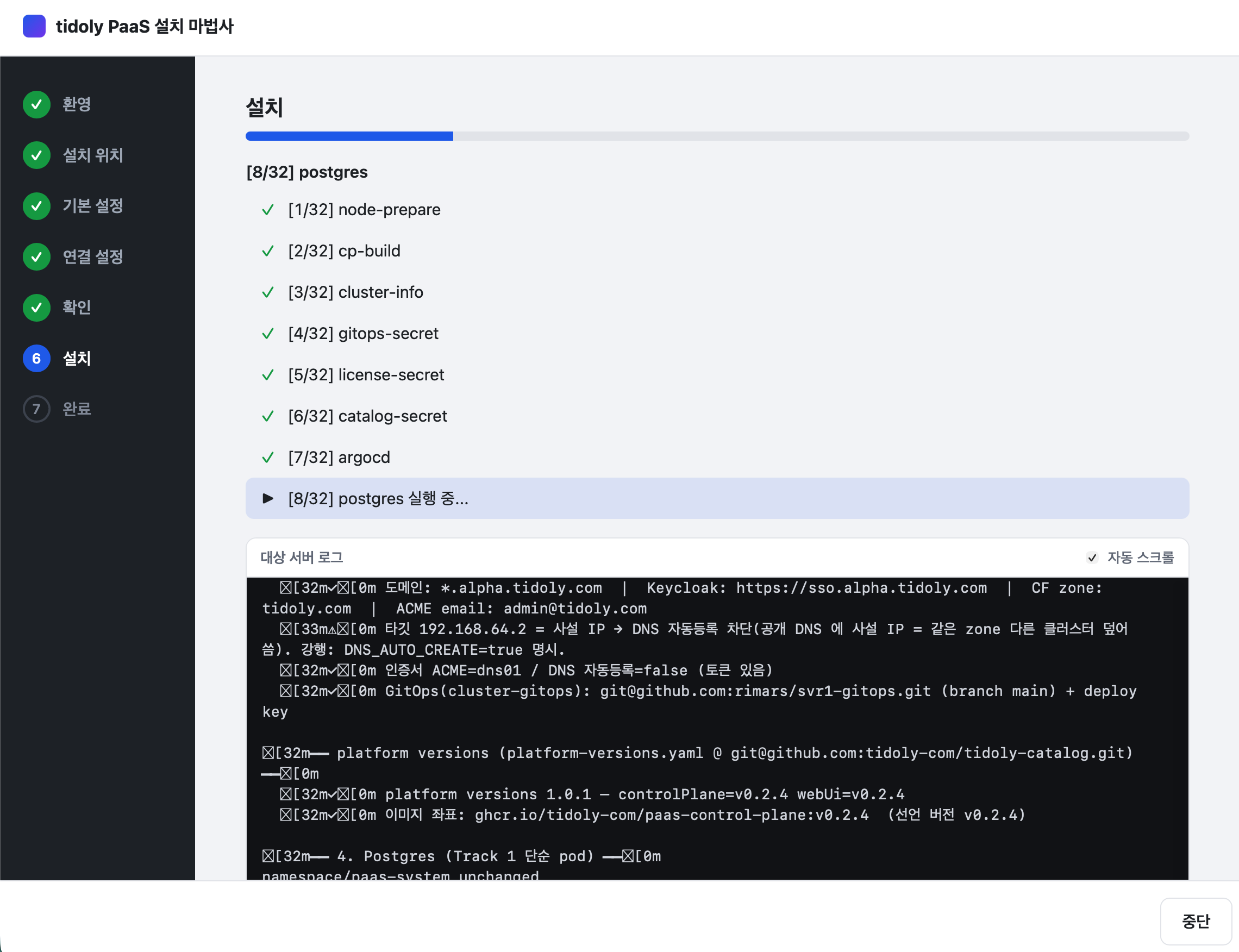
  1. Run the installerk3s and the base tooling land on your server. Certificate management and SSO are not something you assemble piece by piece.
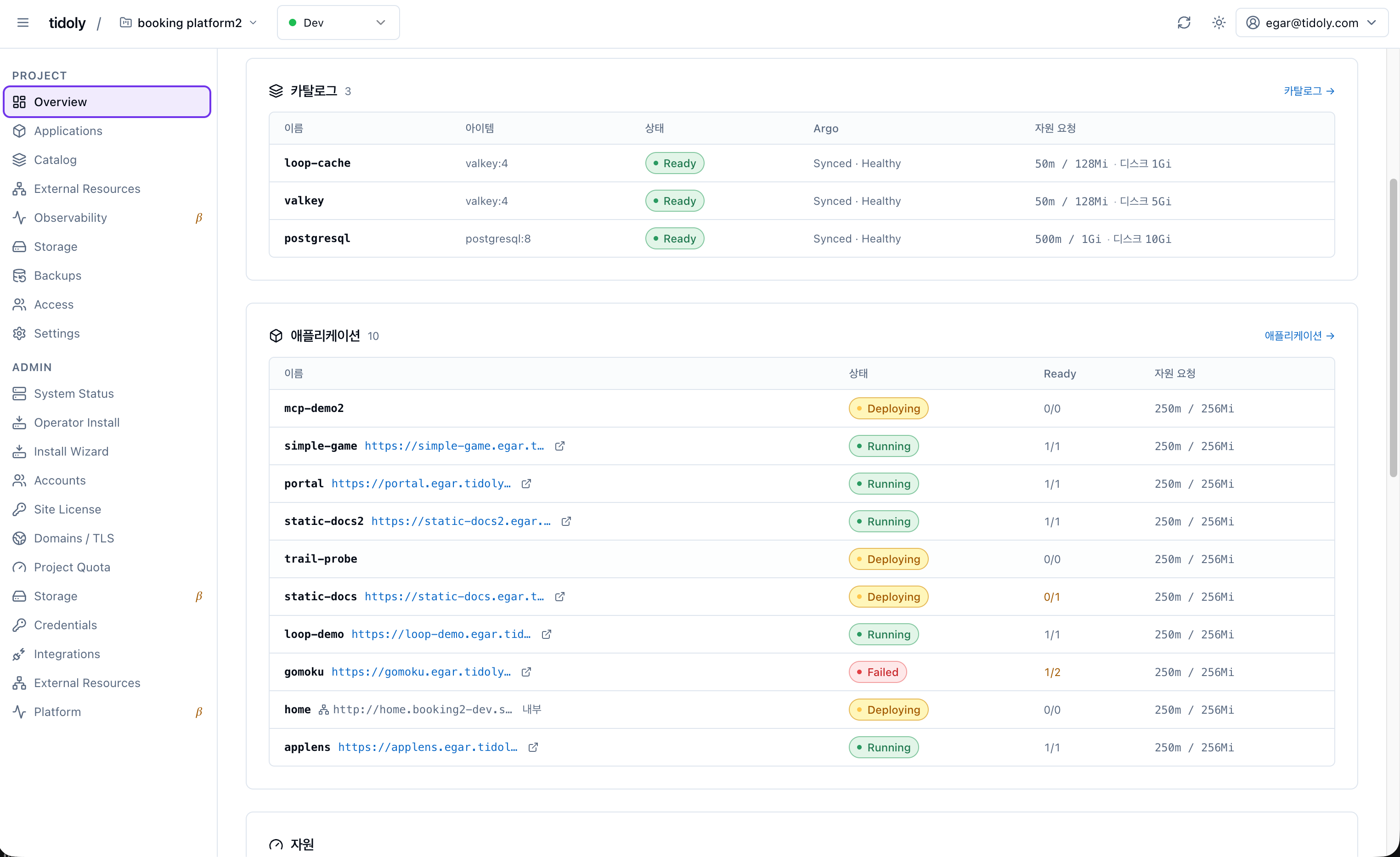
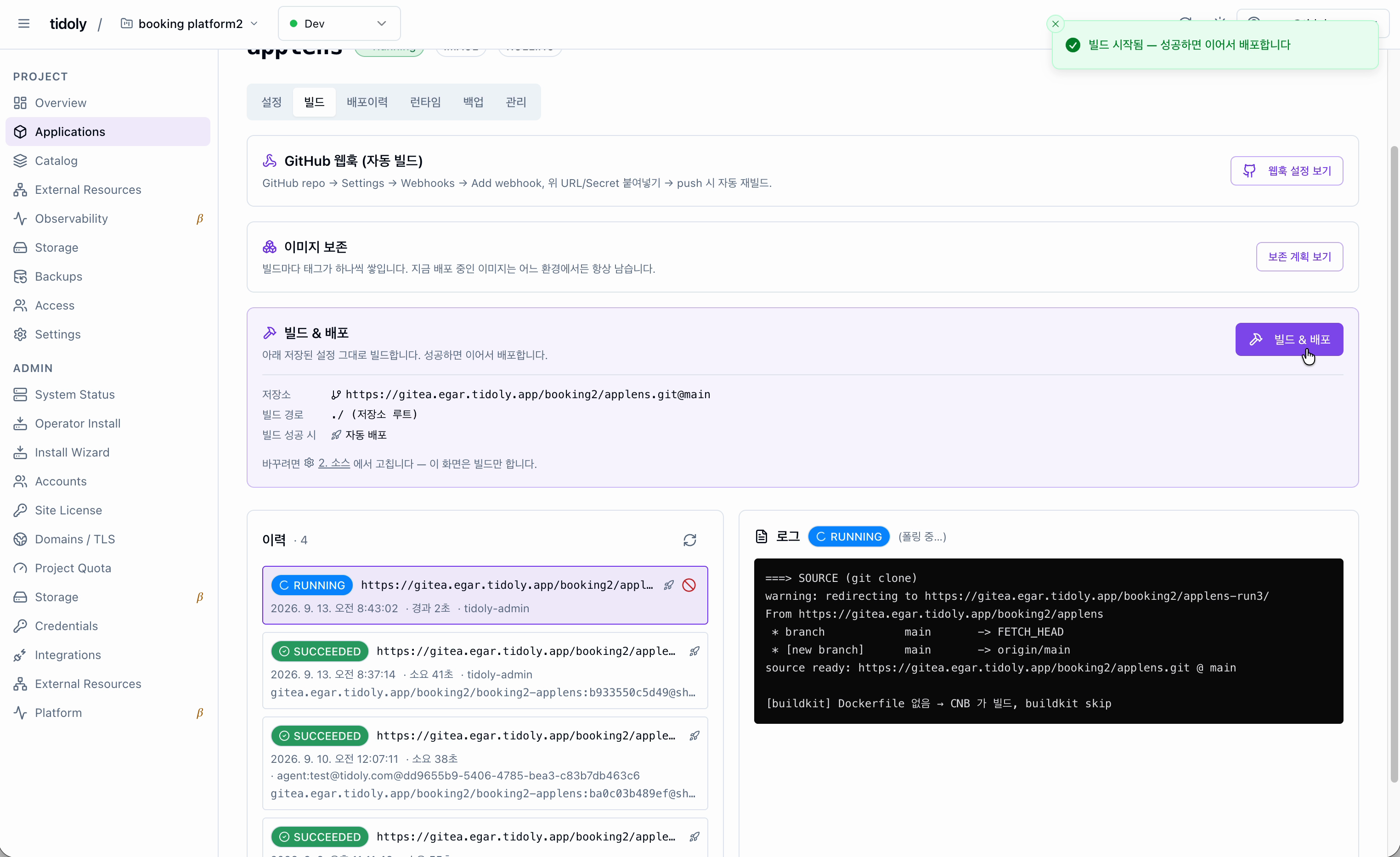
  2. Add an appPick one from the catalog, or hand it a git URL and a PAT. Catalog apps arrive on settings that already work; your own app gets built and deployed for you.
  3. Point a domain at itCertificates, sign-in and credentials attach along the way. And the next app is the same three steps.

What gets connected for you

Database

The database the app needs is created, a user is issued, and the connection details land in the exact shape the app reads. Nobody ever sees the password.

Single sign-on

No separate account per app. The OIDC client is created, callback URLs are matched, and the secret is delivered. Apps with no login of their own get an authenticating proxy in front, gated by the same accounts.

Domain and certificates

Type a domain. Ingress and TLS follow. Issuance and renewal are automatic.

App to app

What one app needs from another is declared as a type. When an address or a credential changes, whatever depends on it is updated too — and removal knows what is still attached.

The catalog keeps growing

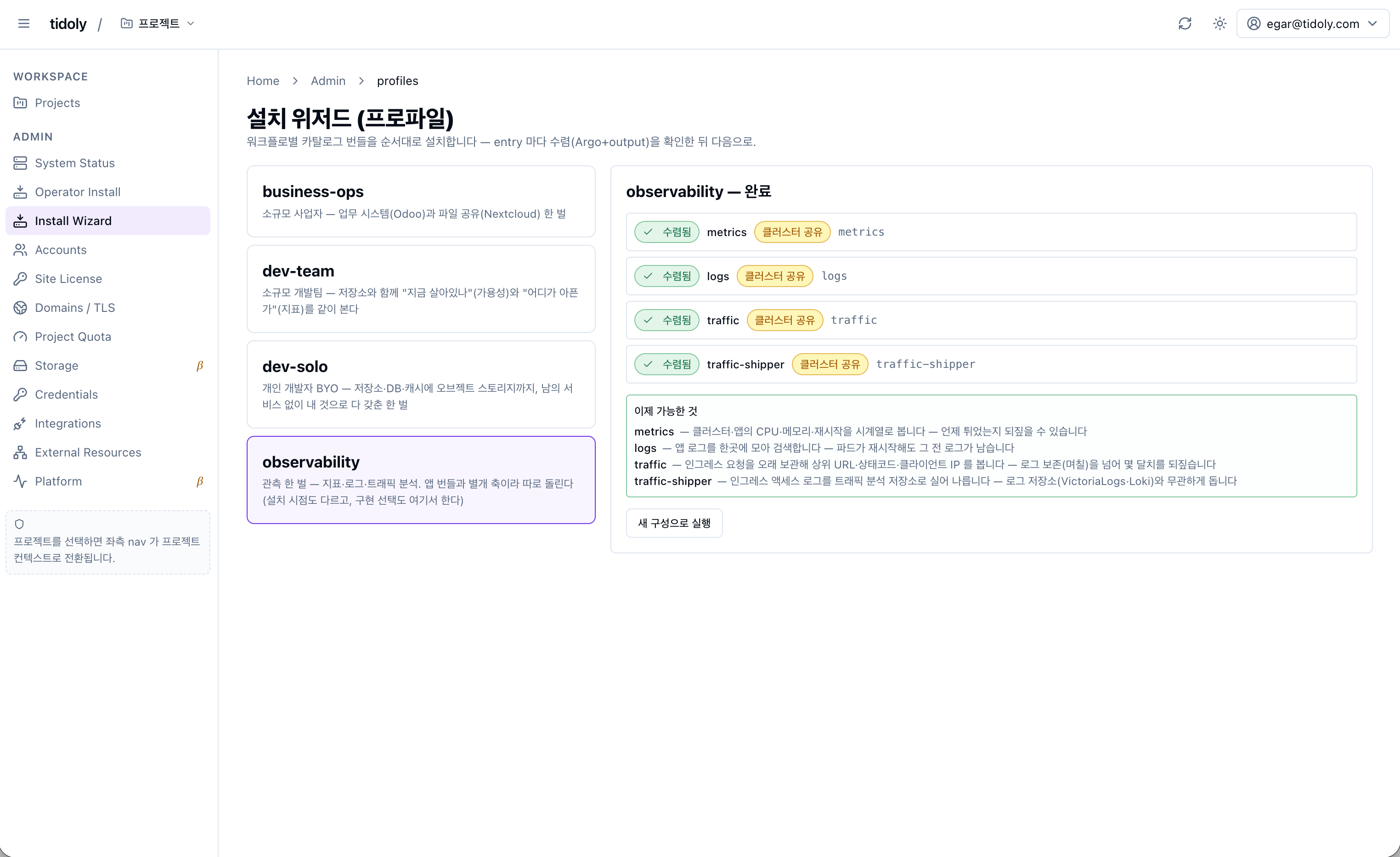
When an asset lands, how that app connects is defined with it.
It does not just install — it arrives ready to use.
Tell us if there is an app you need.

Catalog software is open source by default.
Please check each project's licence terms before you rely on it.

Installing is not the end of it

Monitoring comes with it

Dashboards, logs and alerts come up alongside the app. Nothing to set up separately.

No upgrade procedure to work out

There is no per-app procedure to look up. An update policy comes down, and an administrator approves it.

What is running stays on the record

Builds are kept in a registry and deployed from there, so you can see which version went up and when.

Standard underneath — and we run on it too

The engine is standard Kubernetes — nothing non-standard goes in.
This site is served from a single Mac mini M2.
The floor is 8 cores · 8 GiB · 100 GiB — nothing special required.
⚠ The current build targets a single node.
Running several machines as one cluster needs a different licence.

Install onto any Linux server

The installer runs on your own computer and reaches the server over SSH.
A box under your desk or a cloud VM — it makes no difference.

Download

BetaThe beta is free

Services you install stay usable after the beta ends.
⚠ Once a licence expires, some of what you can do through the PaaS may be limited.

Announcements See all →

Try it on your own server

30-day trial. No card required.

Start free